Getting started with SaaS just became much easier.
We’ve redesigned the SaaS onboarding experience to guide you step-by-step — all within the SaaS Configurator.
What’s New
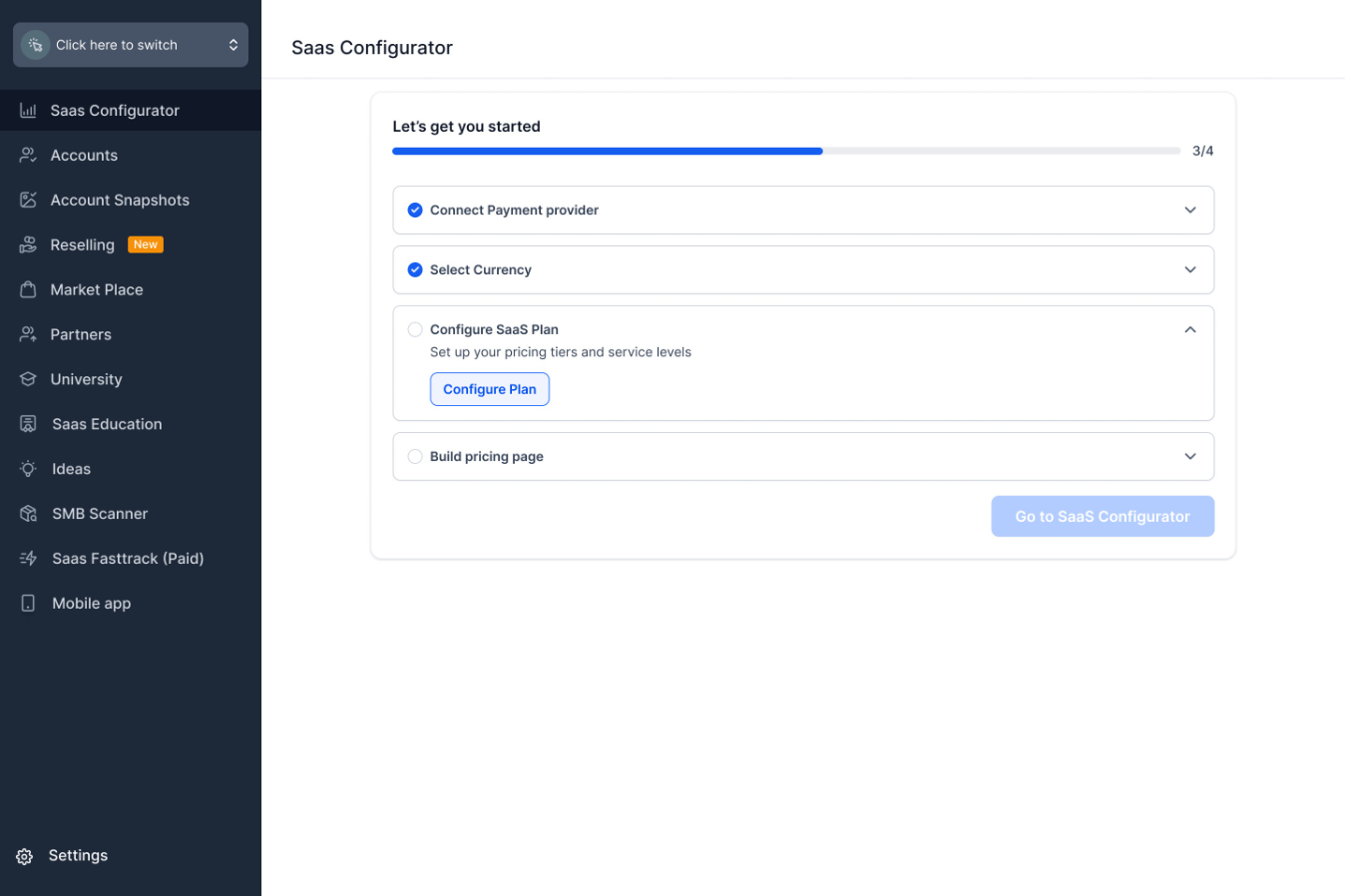
When you open SaaS Configurator, you’ll now see a simple checklist:
- Connect your payment provider
- Choose your currency
- Create your SaaS plans (use recommended templates or build your own)
- Generate your sale link
That’s it. No more jumping between pages. No confusion about what comes next.
Why This Matters
- Faster setup
- Clear progress tracking
- Fewer setup mistakes
- Launch your SaaS offering with confidence
You can leave anytime — your progress is saved automatically.
More enhancements (including AI-assisted onboarding) are coming soon.
Was this article helpful?
That’s Great!
Thank you for your feedback
Sorry! We couldn't be helpful
Thank you for your feedback
Feedback sent
We appreciate your effort and will try to fix the article