9th of April, 2026
Make voice calls without buying a phone number (using your existing phone number)
---
What's new
You can now make voice calls directly from the platform using a phone number you already own, no need to purchase a platform number first. This removes the biggest barrier to getting started with voice calling.
Previously, you had to buy a phone number before you could make a single call. Now, you can verify an existing number and start calling in under a minute.
---
How it works
- When you open the dialer without a purchased phone number, you'll see the option to use your existing number
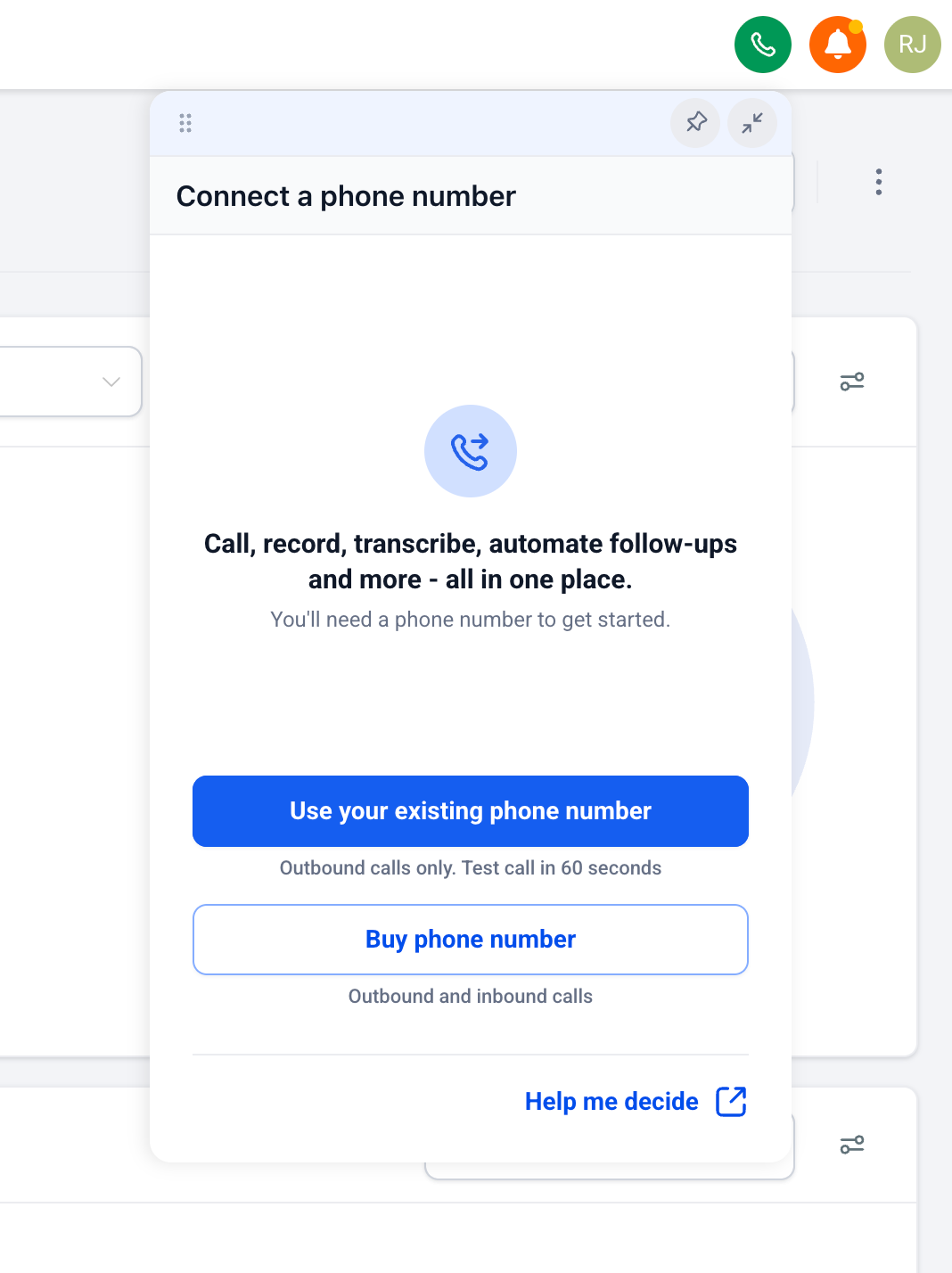
- Click on Use your existing phone number
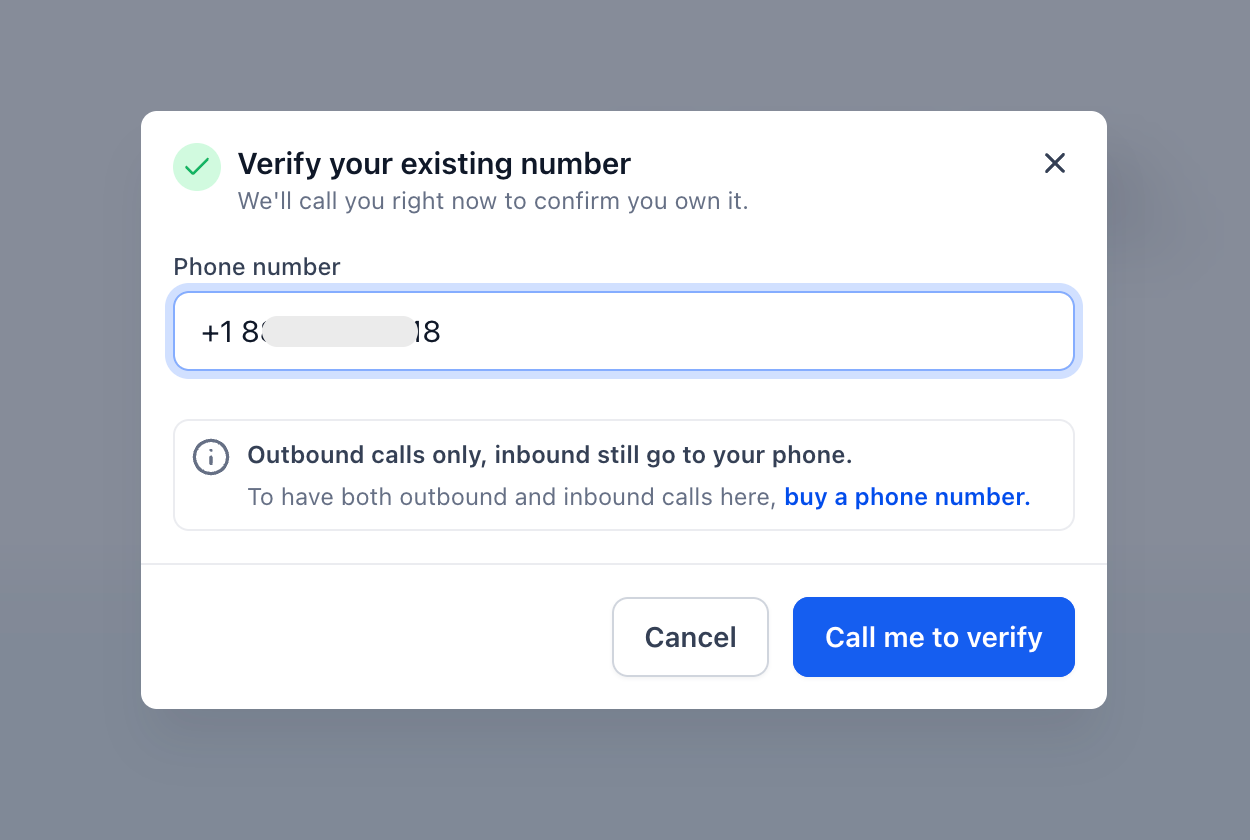
- Enter your existing phone number which you want to show as caller ID for your outbound calls
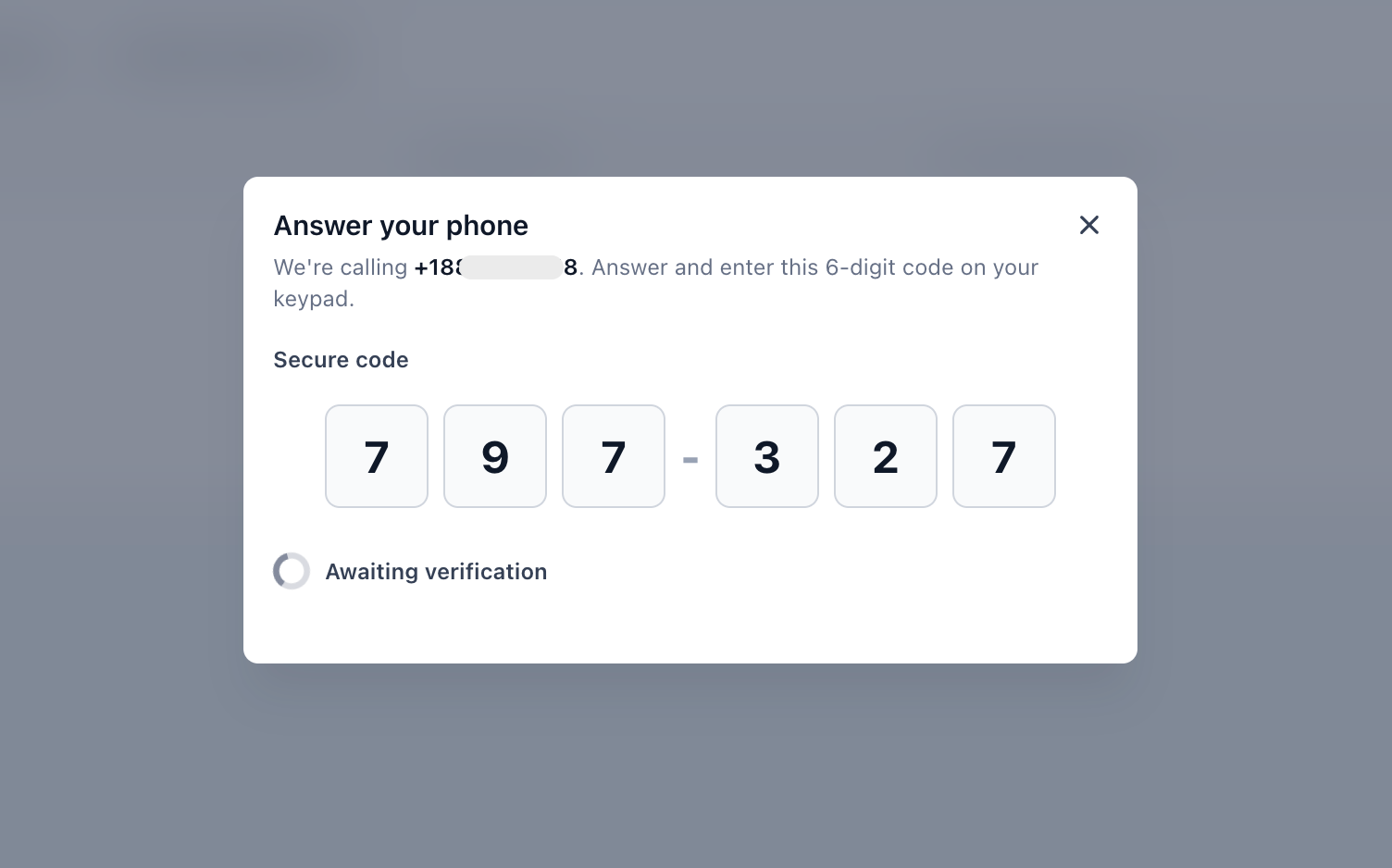
- You will receive a call on your existing phone number. Enter the 6 digit code after answering the call to verify that you own this number
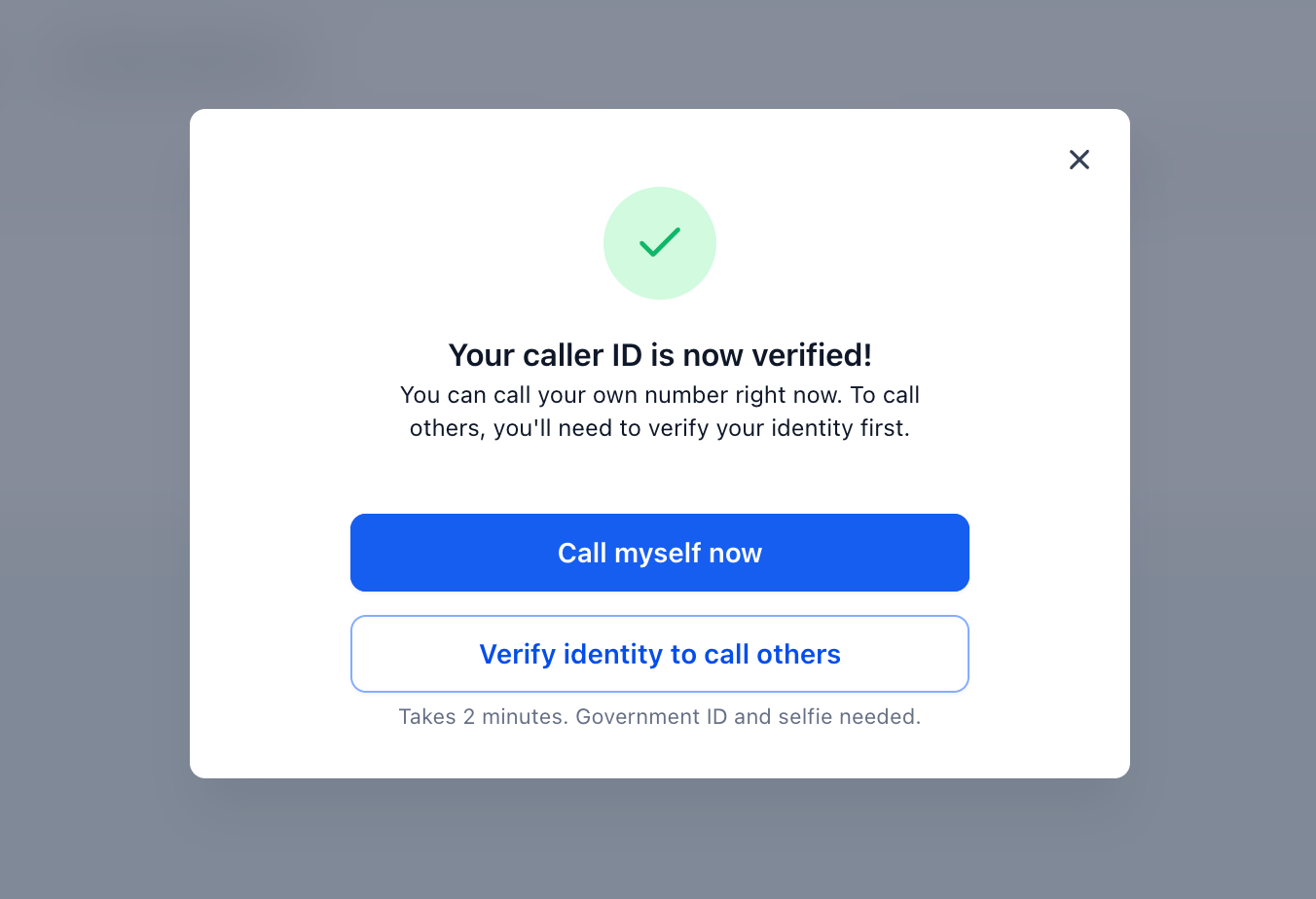
- You can now call yourself to try voice calling. To call others, you'll need to complete identity verification
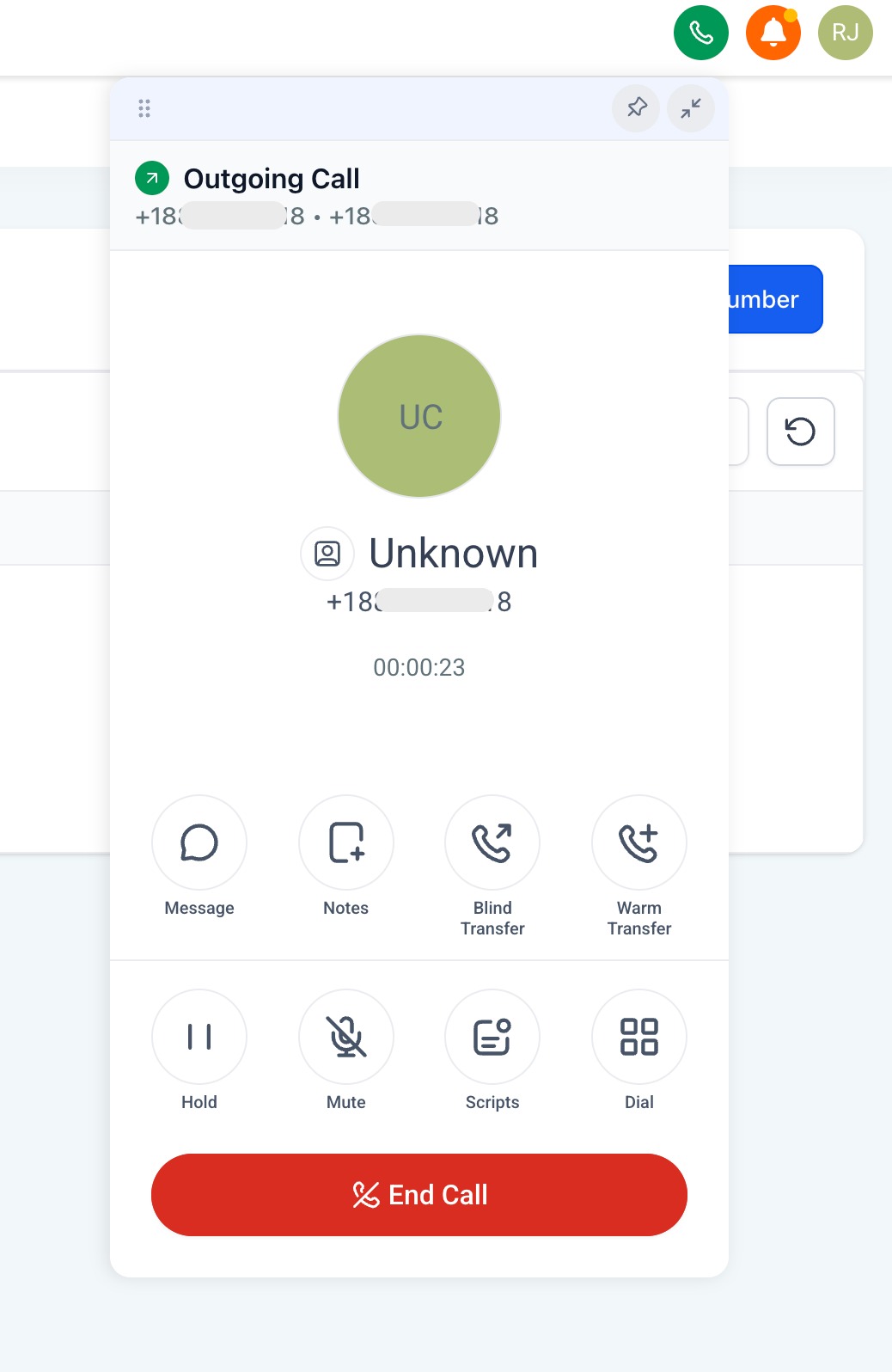
- First call to own number
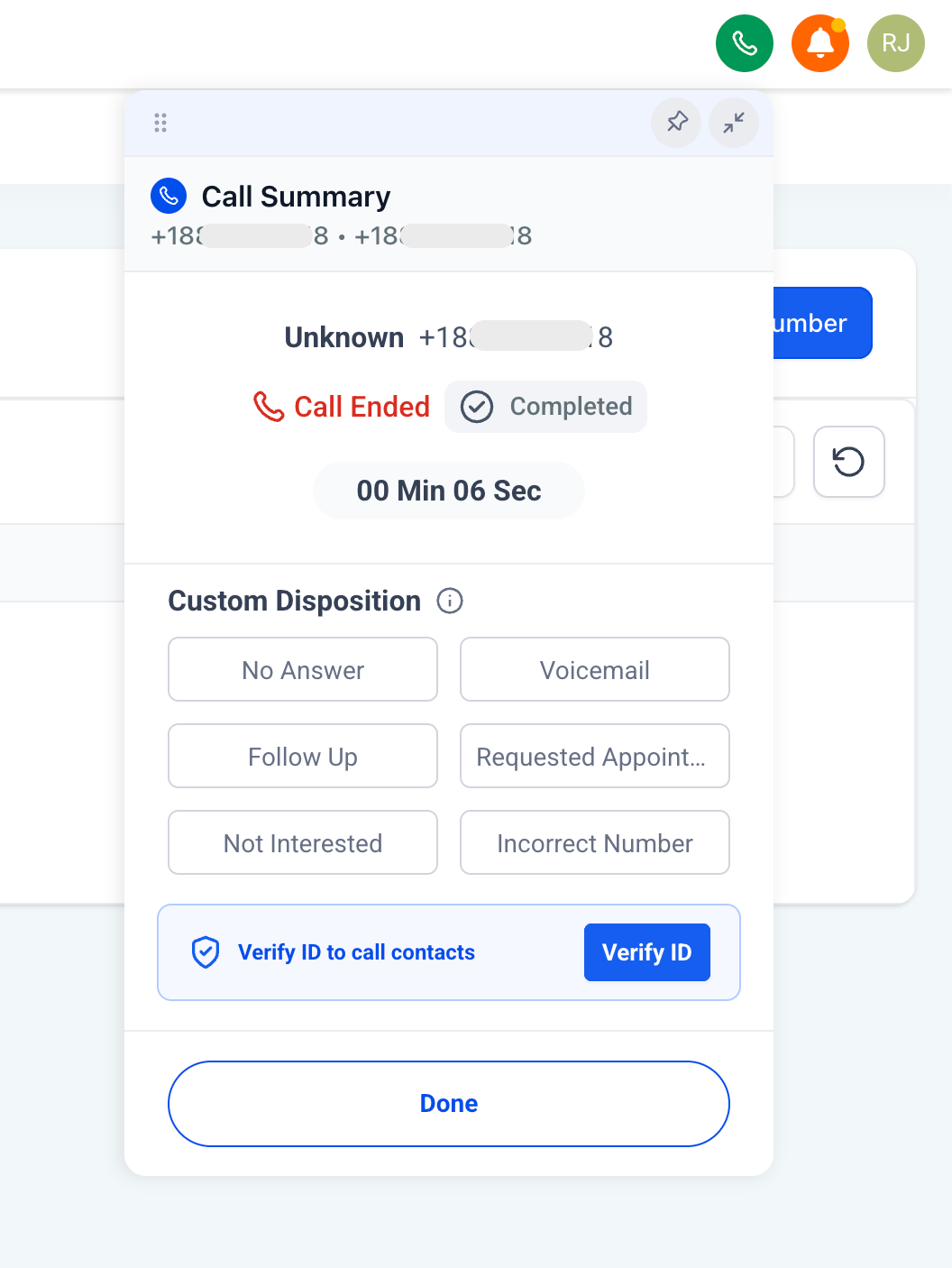
- After your first call, you'll be prompted to complete a one-time ID check using a government ID and selfie. This is required to place calls to contacts
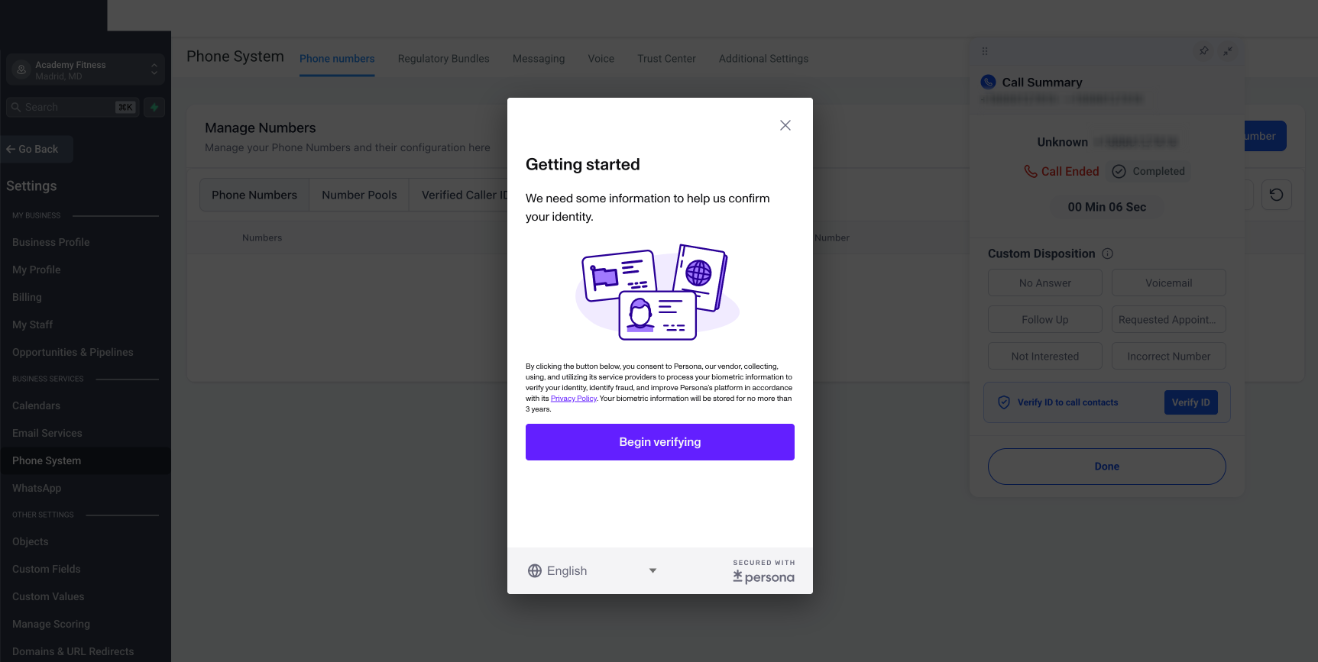
- ID check using government ID and selfie
---
Managing your Verified Caller ID
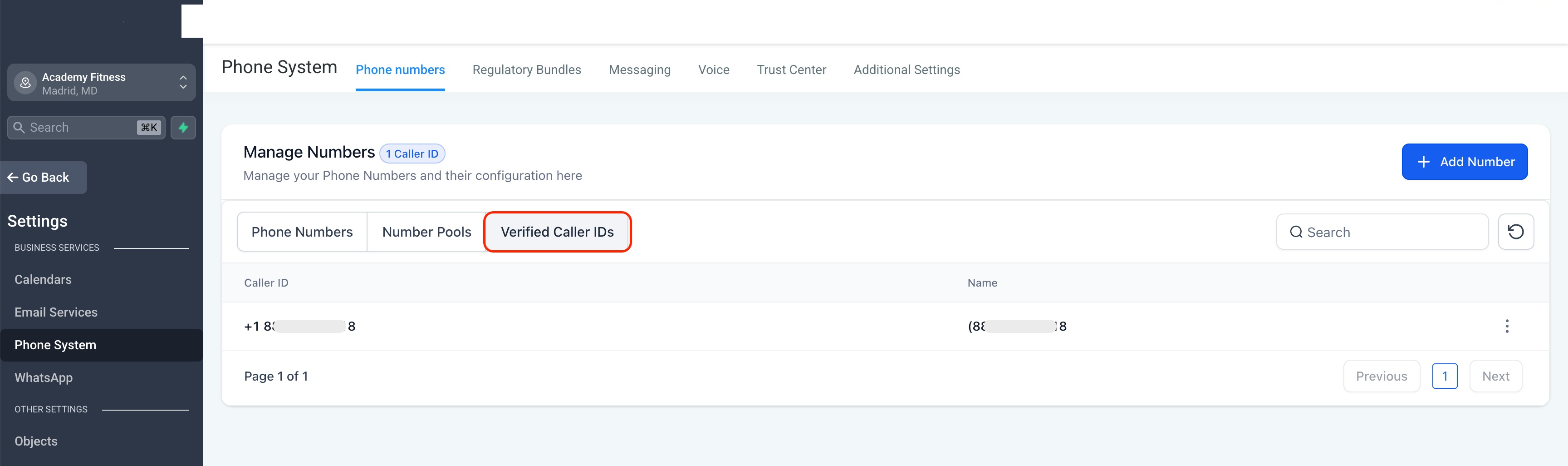
- To check settings of your existing phone number (Verified Caller ID), go to account settings > Phone System > Phone Numbers > Verified Caller ID
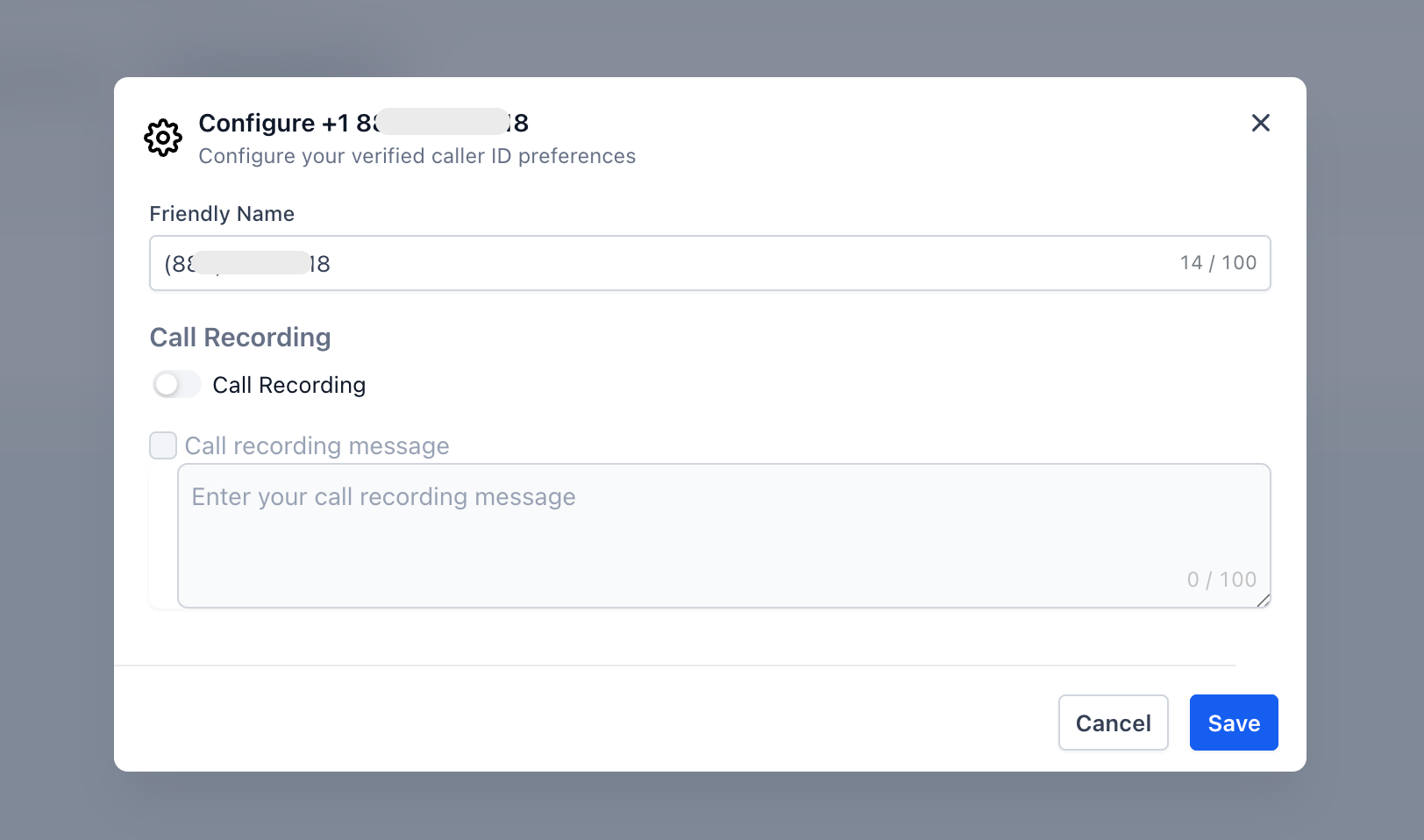
- Under the 3 dot menu, you can enable call recording
---
How to enable this under Labs?
- The account admin needs to go to settings > Labs
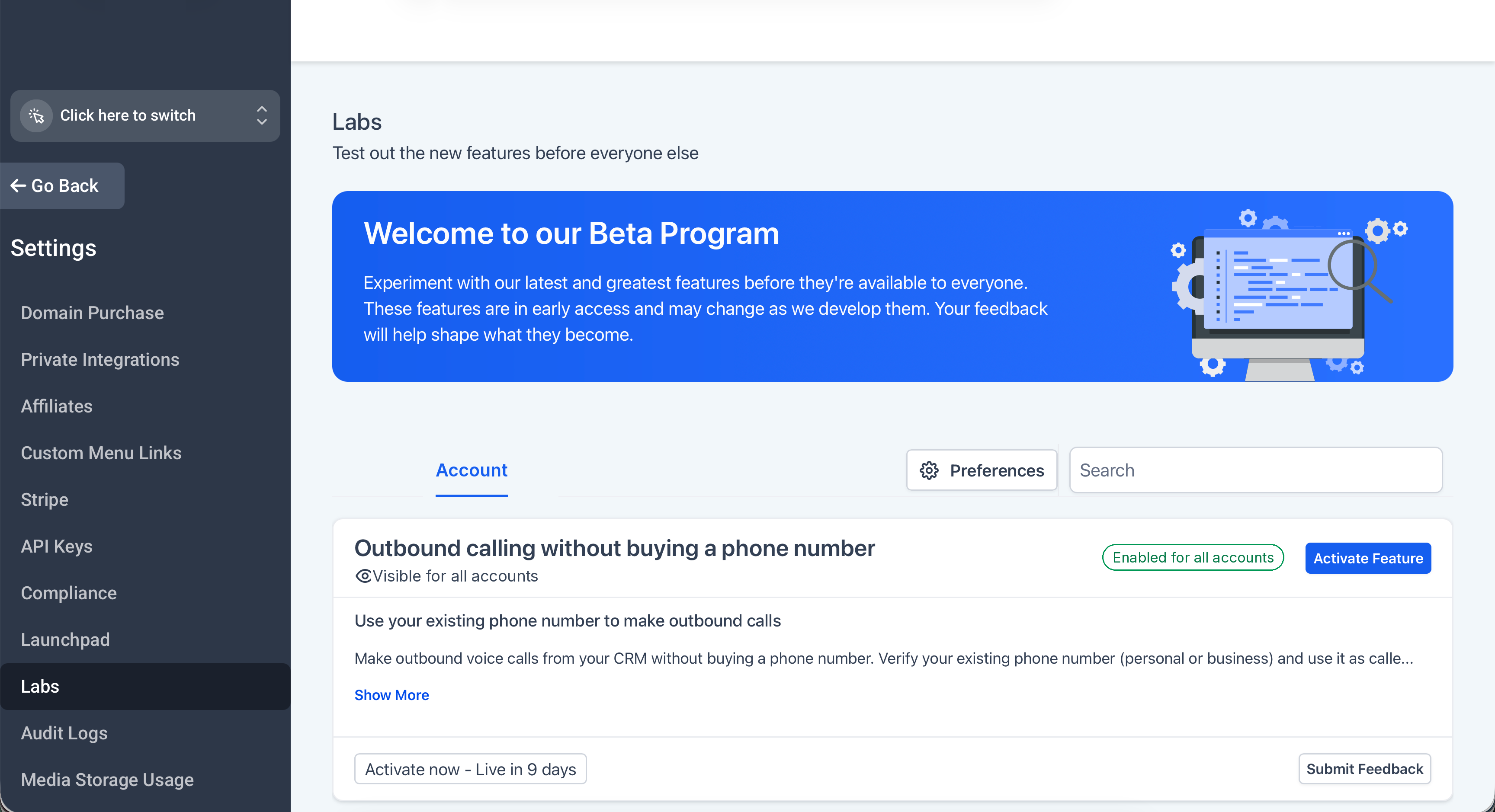
- Click on Activate Feature
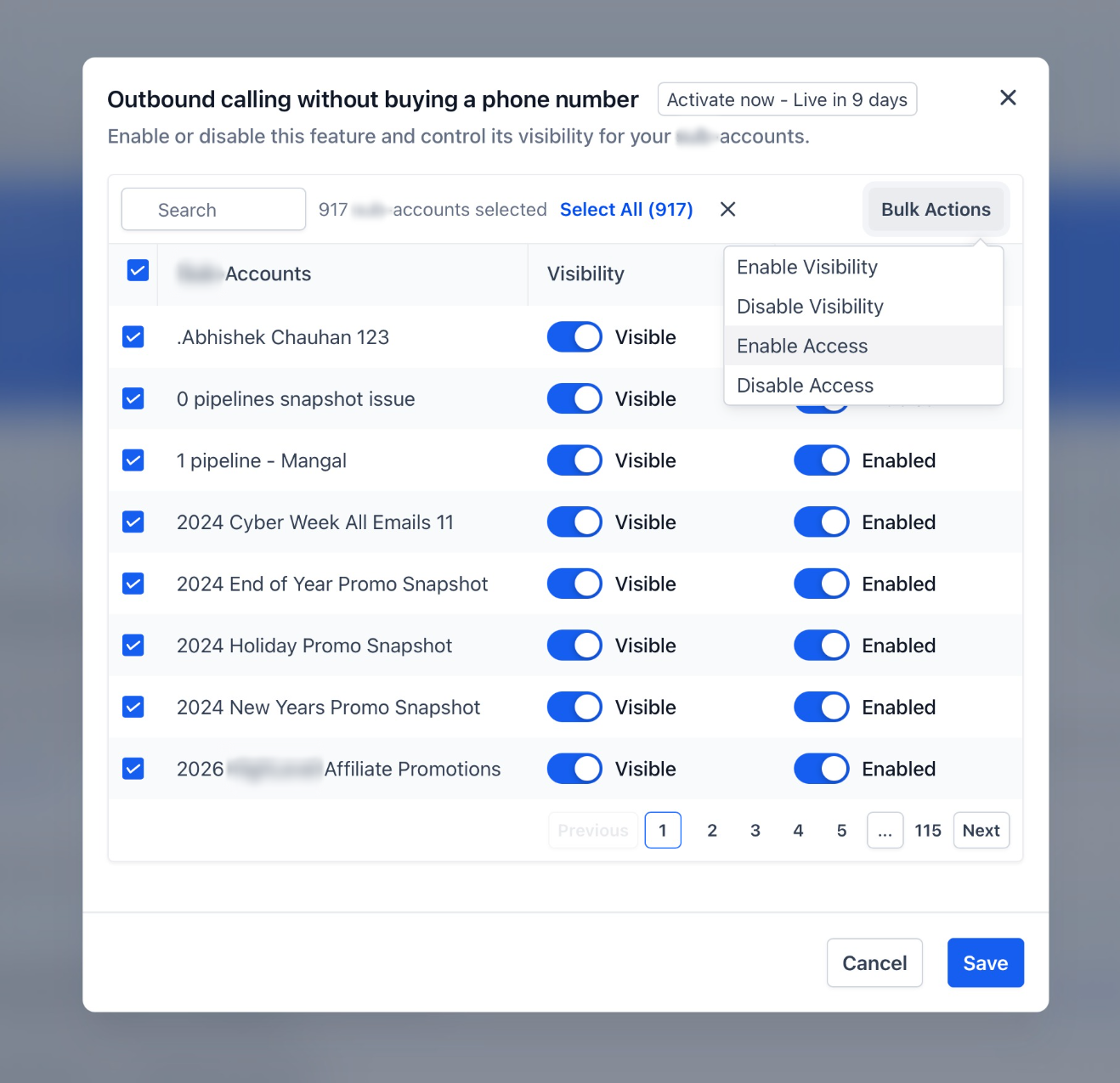
- Enable it for the accounts you want
---
Good to know
- Call costs are the same as regular outbound calling
- Inbound calls continue to ring on your existing phone number as usual
- You can still make outbound calls from your existing phone number outside of GHL
- You can always purchase a dedicated phone number at any time
- ID verification is needed once for an account
- Mobile app support coming soon
Was this article helpful?
That’s Great!
Thank you for your feedback
Sorry! We couldn't be helpful
Thank you for your feedback
Feedback sent
We appreciate your effort and will try to fix the article