Ask AI V2 reimagines the platform mobile AI assistant so you can get real answers and take real action from anywhere, not just from a laptop. Ten interactive response types, searchable history, and live streaming, all rendered natively.
The Challenge
You don't run your business from a desk. But until now, the mobile AI couldn't keep up. Answers were flat text, with no history to return to and no way to act on what the AI told you. So the real decisions waited until you were back at a computer.
Solution
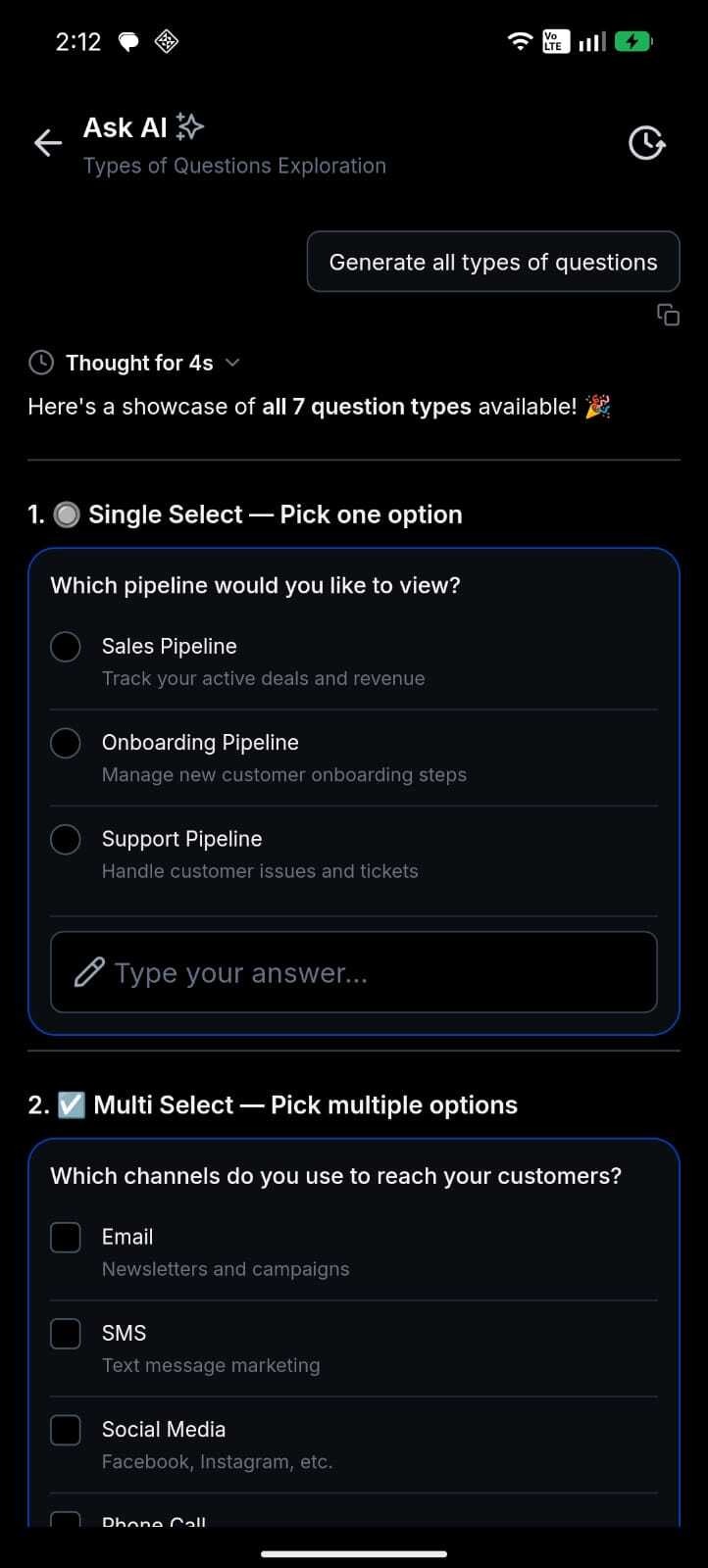
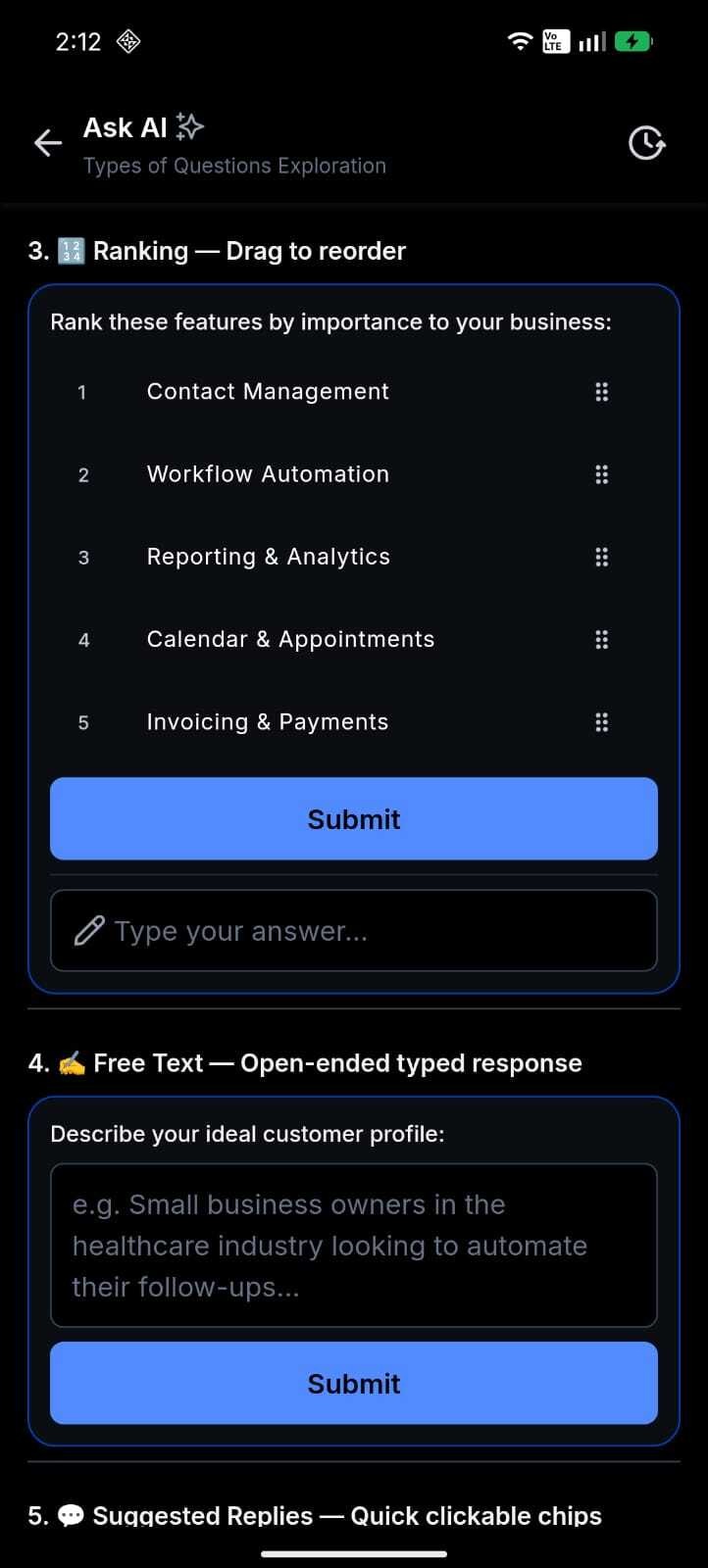
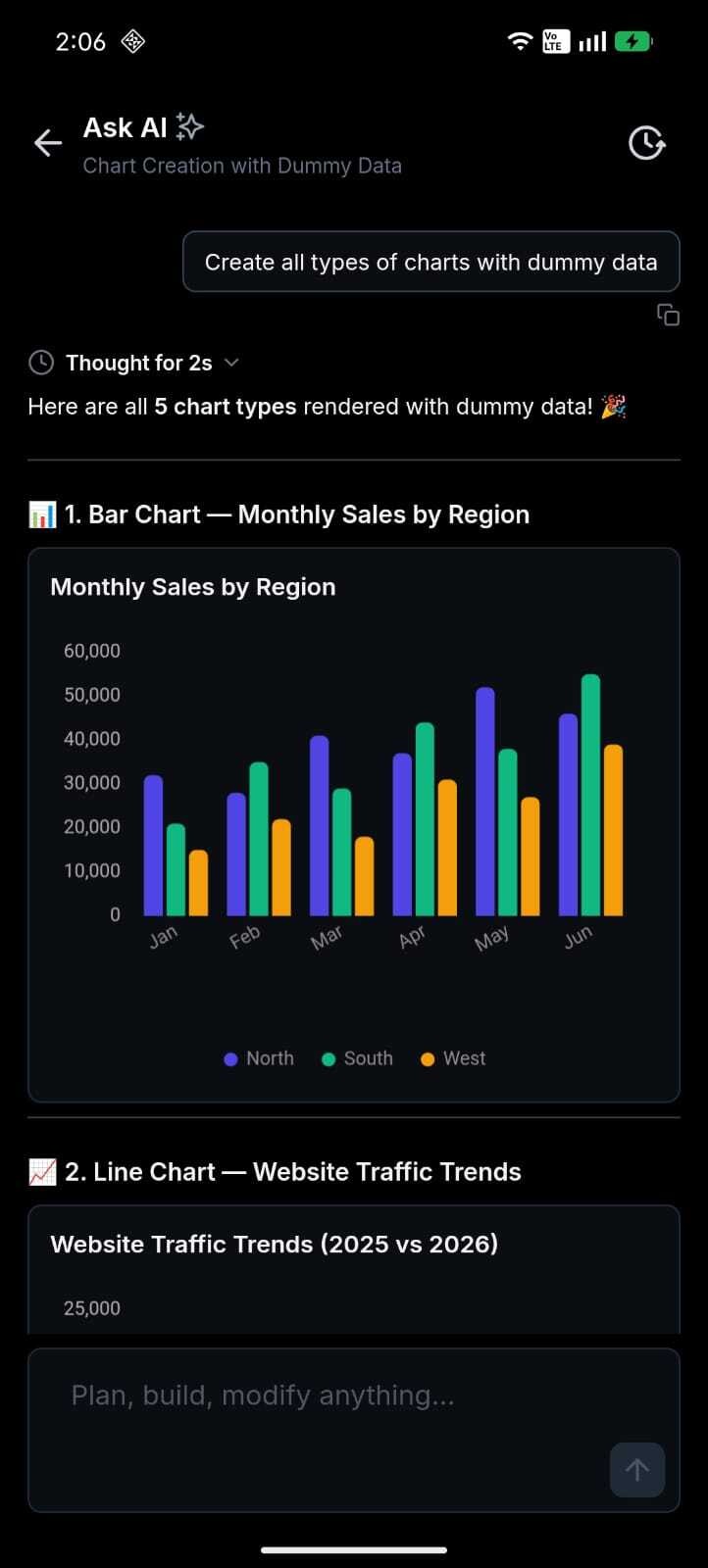
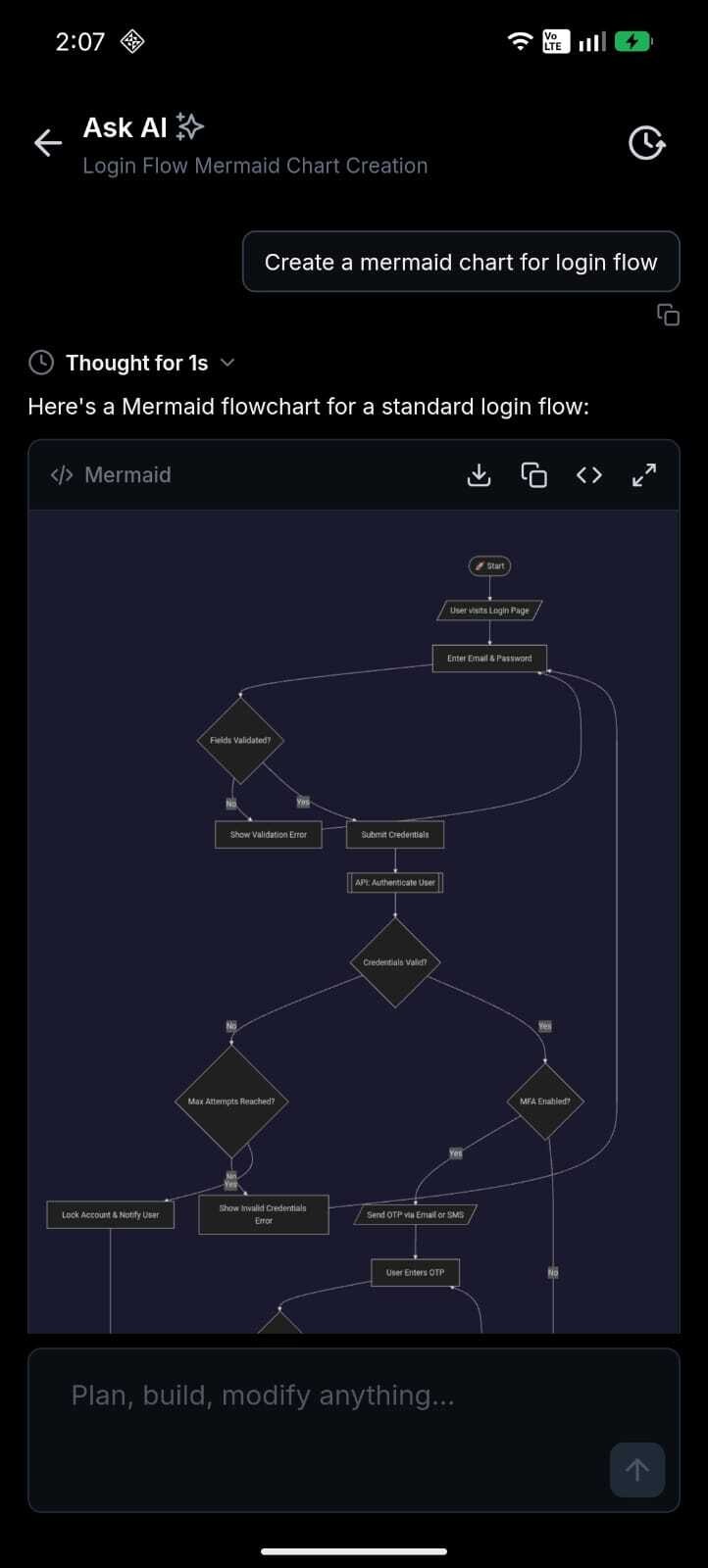
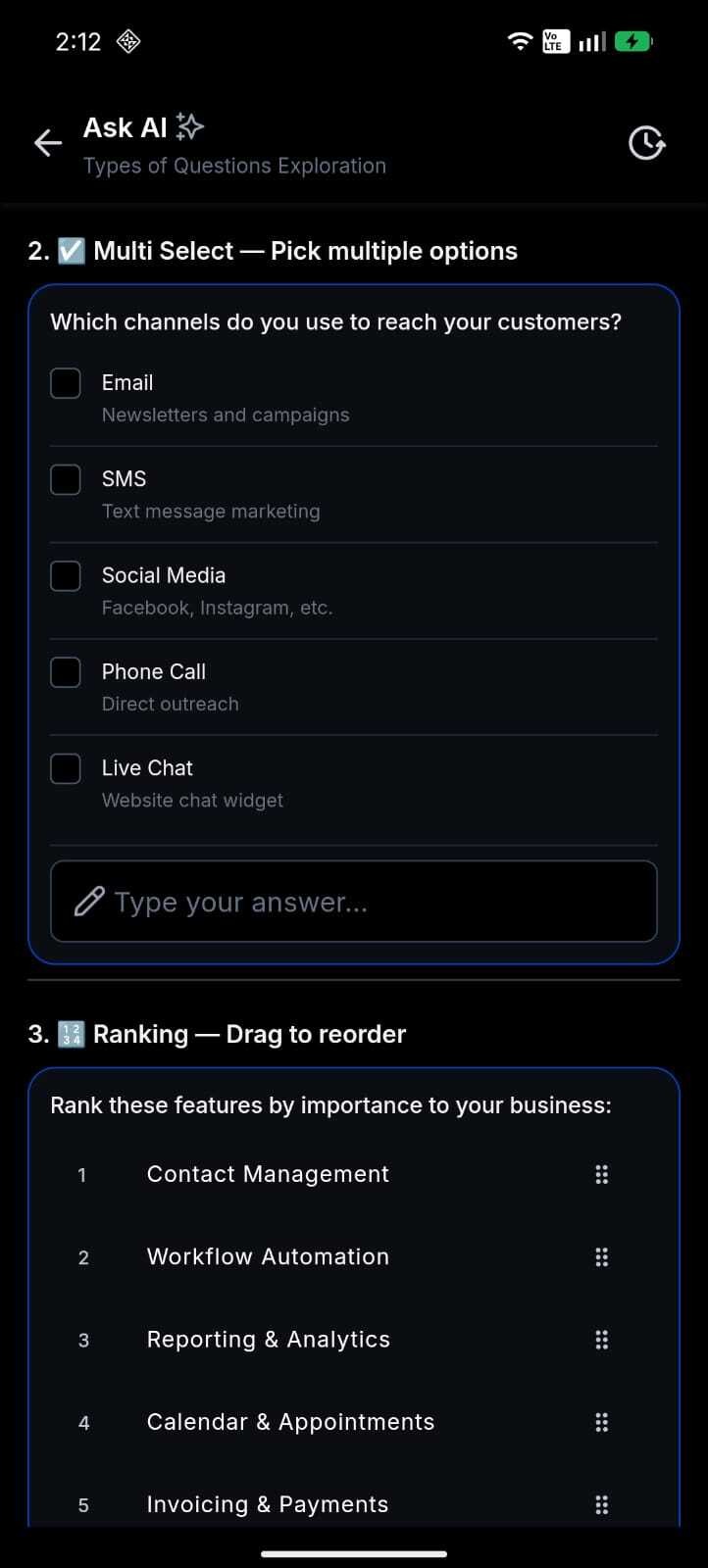
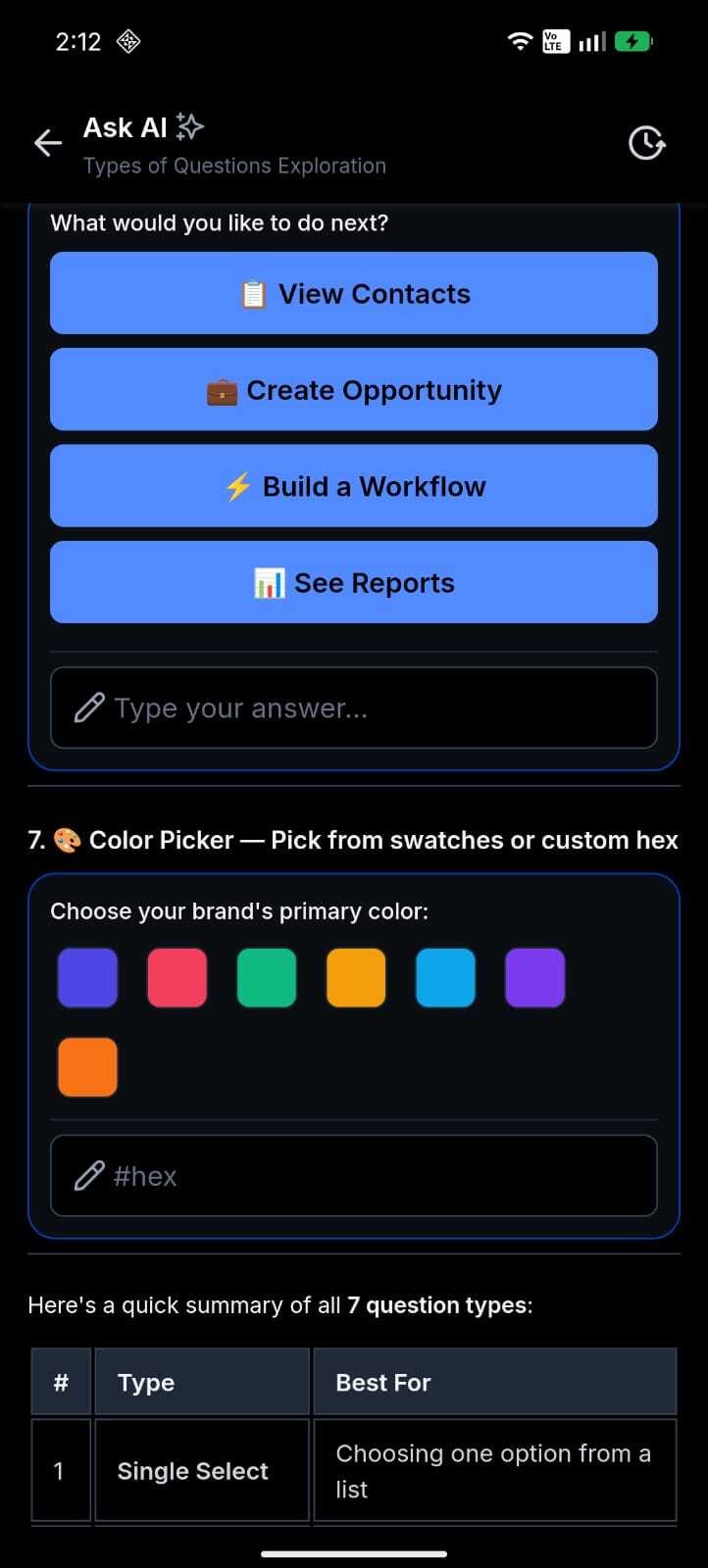
Ask AI V2 brings the full AI experience to your phone. Ten artifact types - charts, data tables, code blocks, approval flows, question wizards, and more render natively and respond to touch. Answers stream in real time, and your entire conversation history is searchable. You decide and act on the move.
How This Supercharges Your Business
- Decide on the move: Interactive charts and data tables put real business insights in your hand between meetings, on a client site, anywhere.
- Act, don't just ask: Approval flows and multi-step question wizards let you complete structured tasks from your phone, no laptop required.
- Never lose a thread: Searchable conversation history lets you resume any session the moment you pick your phone back up.
- Trust what you see: Real-time streaming and a live thinking indicator show the AI's reasoning as it works, not just the final answer.
How to Get Started
Open Ask AI: Tap Ask AI in the platform mobile app.
Ask anything: Type your question in the composer bar.
Interact: Tap charts, copy code, follow a wizard, or tap Sources to see what web search found.
What's Next?
We're expanding what renders natively on mobile. The Canvas preview pipeline (9 preview types) is already built and will activate via a backend toggle, no app update needed. More artifact types and richer interactions are on the roadmap.
Roll-out & Availability
Roll-out & Availability
| Release Date | June 18, 2026 |
| Available Version | 4.18.1 (build 833) |
| Status | Public |
| CRM | ✅ |
| WL App | ✅ |
| Platforms | iOS & Android |
Good to Know
- Full dark mode support across all artifact types, matches your device theme automatically.
- Model selection available (Claude Sonnet 4.6 by Anthropic).
- Canvas preview pipeline (9 preview types) ships dormant; activates via backend toggle.
Was this article helpful?
That’s Great!
Thank you for your feedback
Sorry! We couldn't be helpful
Thank you for your feedback
Feedback sent
We appreciate your effort and will try to fix the article